
Reduce Your Digital Footprint for Better Privacy
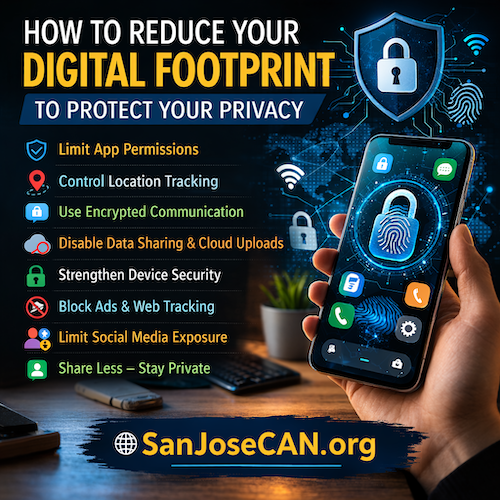
Reducing a digital footprint helps protect privacy, limit surveillance, and reduce exposure of personal information. Cell phones collect large amounts of data about location, habits, contacts, and online activity. Taking deliberate steps can significantly reduce the amount of information that companies, governments, and unknown actors can collect.
1. Limit App Permissions
Many mobile applications collect far more data than necessary.
Review and restrict permissions regularly.
Disable access to:
- Location services
- Contacts
- Microphone
- Camera
- Photos and files
- Bluetooth
Allow permissions only when actively using the app rather than allowing constant access.
Delete apps that request unnecessary permissions or that you rarely use.
2. Control Location Tracking
Smartphones constantly track physical location through GPS, Wi-Fi, and cell towers.
Steps to reduce tracking:
- Turn off location services for apps that do not require it.
- Disable location history in device settings.
- Turn off Bluetooth scanning when not needed.
- Avoid tagging location on social media posts.
Location data can reveal:
- Home address
- Workplace
- Daily routines
- Political activities or protests attended
Limiting location sharing protects personal movement patterns.
3. Reduce Data Collected by Apps
Many apps collect background data even when they are not actively open.
Reduce this by:
- Turning off background app refresh.
- Disabling app analytics and tracking permissions.
- Turning off ad tracking or personalized ads in device settings.
- Avoiding apps that require social media logins.
Less data collected means fewer records stored on external servers.
4. Use Encrypted Communication
Standard text messages and phone calls are not always encrypted.
Use applications that offer end-to-end encryption, which prevents third parties from reading messages.
Also consider:
- Avoid sending sensitive information through normal SMS.
- Enable disappearing messages when available.
- Lock messaging apps with device authentication.
Encryption protects conversations from interception.
5. Turn Off Automatic Cloud Sharing
Many phones automatically upload photos, files, and contacts to cloud servers.
Review cloud settings and disable automatic uploads for:
- Photos and videos
- Contacts
- Documents
- Notes
- Device backups (if privacy is a concern)
Manual backups give greater control over what is stored remotely.
6. Strengthen Device Security
A secure phone prevents unauthorized access to stored data.
Use:
- A strong passcode instead of a simple four-digit code.
- Biometric authentication only if comfortable with it.
- Automatic screen lock after a short period of inactivity.
- Remote wipe capability in case the phone is lost or stolen.
Regularly install operating system updates because they fix security vulnerabilities.
7. Reduce Social Media Exposure
Social media creates one of the largest digital footprints.
Protect privacy by:
- Removing your phone number from public profiles.
- Avoiding real-time location posts.
- Limiting personal details such as home city, workplace, or family members.
- Reviewing privacy settings so posts are visible only to trusted contacts.
Every shared detail contributes to a searchable digital record.
8. Limit Web Tracking
Websites track users through cookies, device fingerprints, and advertising networks.
Reduce tracking by:
- Using privacy-focused browsers.
- Blocking third-party cookies.
- Clearing browsing history regularly.
- Using private browsing modes when appropriate.
Search engines and websites store browsing history unless these settings are controlled.
9. Avoid Public Wi-Fi Risks
Public Wi-Fi networks are vulnerable to interception.
Protect your connection by:
- Avoid accessing sensitive accounts on public networks.
- Turning off automatic Wi-Fi connection.
- Forgetting networks after use.
Public networks can expose browsing activity and login credentials.
10. Practice Data Minimization
The most effective privacy strategy is sharing less information overall.
Ask these questions before providing data:
- Is this information required?
- Who will store this information?
- How long will it be kept?
- Could it be used against me later?
If the information is not essential, avoid providing it.
Key Principle
Digital privacy improves when less data exists in the first place. Every app, account, and online activity creates records stored on external systems. Reducing data collection, controlling permissions, and limiting personal sharing greatly lowers exposure.
Small changes in device settings and daily habits can significantly reduce a person’s digital footprint and strengthen personal privacy. 🔐📱
Disclosure and Disclaimer: This article was prepared by San Jose CAN with the assistance of artificial intelligence for research and editorial support. While the information presented is believed to be accurate, it is provided for general informational purposes only. Readers are responsible for conducting their own independent research and verification before relying on or acting on any information in this article.